The TachoTools App is the result of deep collaboration between professional drivers and fleet logistics experts. We have engineered an interface that prioritizes speed, clarity, and safety, ensuring that tachograph data management never distracts you from the road.
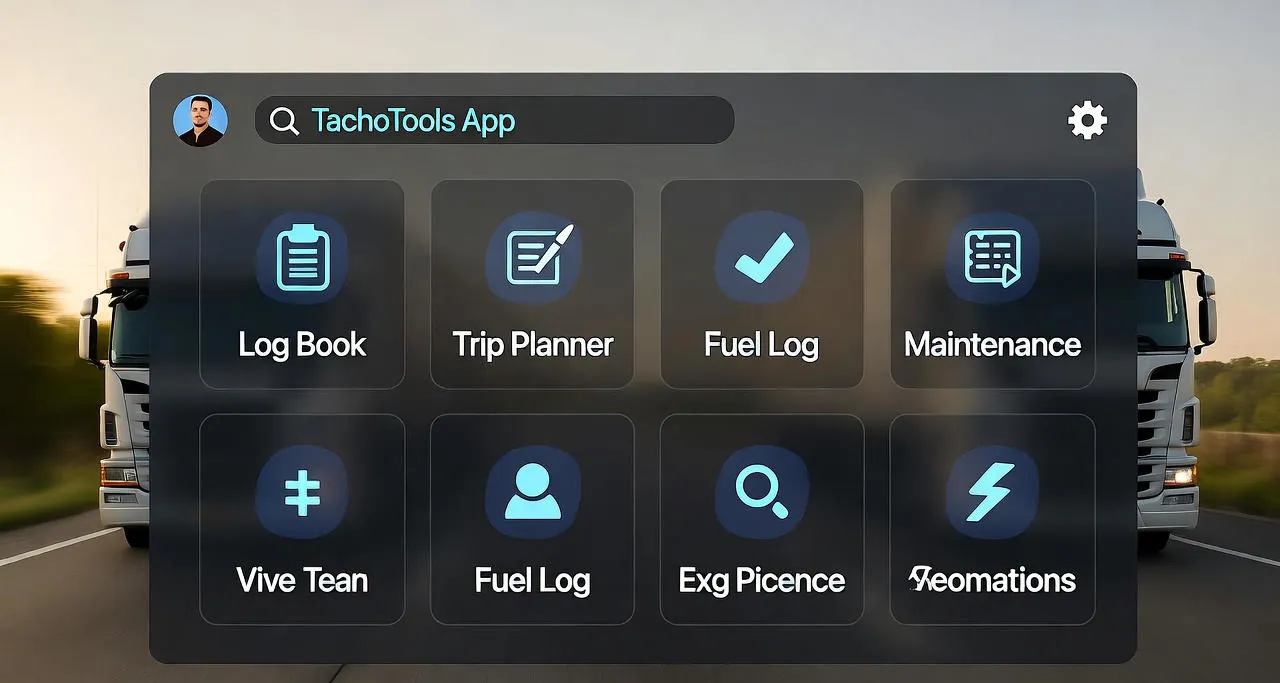
In the transport industry, every minute of availability is an asset. TachoTools minimizes the friction of data entry and file management. Our UI is built specifically for the cabin environment: featuring high-contrast elements and an Adaptive Dark Mode that reduces eye fatigue during long night shifts or low-light loading zones.
Beyond aesthetics, the app serves as a real-time compliance guardian. It allows you to monitor your driving and rest cycles instantly, helping you avoid unintentional infringements. With our Offline-First architecture, your digital records are always accessible for inspection, even in remote areas with zero network coverage.
Built for the Real-World Trucking Routine
- Simplified Touch UX: Extra-large touch targets designed for easy navigation inside the truck cabin.
- Optimized Dark Mode: Ergonomic visual theme designed to protect night vision during operations.
- Instant Summaries: At-a-glance visualization of daily driving limits and mandatory pauses.
- Reliable Offline Access: Review your full DDD file history without an active internet connection.
- Background Sync: Automatic cloud updates ensure the fleet manager is informed as soon as a signal returns.
- Compliance Guard: Proactive visual warnings for potential regulation violations.
Robust Performance on Any Device
Modern transport logistics requires tools that are as resilient as the vehicles themselves. TachoTools offers consistent, high-speed performance whether it's installed on a high-end smartphone or a dedicated onboard Android terminal. By focusing on driver autonomy, we significantly reduce the administrative burden on both the driver and the back-office compliance manager.
Bridging Experience and Technology
Every feature in our app solves a specific on-road problem. From simplifying manual entry verification to providing clear countdowns for weekly rest compensation, we translate complex EU transport regulations into a simple, visual guide that anyone can follow.
Three questions a tool must answer in five seconds
A driver doesn't need a report. He needs answers, and they're always the same three, asked in the cab with the engine running, when the decision is whether to carry on.
- How much have I got left today? Not how much I've done — how much I still can.
- When do I have to stop? A time of day, not a percentage. A time you can compare against the clock on the dash.
- Will I close the week properly? A Wednesday question, not a Sunday one — by Sunday the answer changes nothing.
Everything beyond that is extra. Useful extra, but extra. An app that sends you into a menu for those three isn't a driver's tool — it's an office tool that somebody put in a cab.
Why the display and the unit can disagree
The question comes up every time, and it's worth having the answer before it turns into an argument with the office. A discrepancy usually doesn't mean either one is calculating wrongly. It means they're counting from a different moment or from a different set of data.
- The last sync. The app shows the picture as of when it received data. If that was before the break, it shows the world before the break.
- Manual entries. Until they're entered and confirmed, they exist for no counter.
- Rounding and presentation. What reads as "15 minutes left" on one screen reads as "over by 14" on another.
The rule for a roadside check: what decides is the unit's record, not the display. The app is excellent for planning and useless as an argument. If the gap is large and recurring, that isn't a matter of taste — it means data is missing somewhere.
A driver's tool and an operator's tool look at the same data from two sides
It's the same file, but it's asked entirely different questions — which is why one tool rarely serves both well.
- The driver asks about now. How much is left, when to stop, whether it fits. Horizon: tonight, at most the weekend.
- The operator asks backwards. Whether the period is complete, where the gaps are, what an examiner would say. Horizon: months.
The practical consequence: a good driver's tool doesn't relieve the operator of downloading and archiving, because it answers none of the operator's questions. And conversely, a fleet system showing everything except what's needed in the cab today helps with no decision made before a loading bay.
The best the two achieve together is the same version of the truth in two places. Driver and office looking at different numbers is the commonest source of arguments about hours — and it's an argument nobody wins, because without the file it can't be settled.
In short
A good driver's tool isn't meant to tell you everything. It should say three things immediately and not bother you with the rest — leaving the rest to the file that somebody has to open once a month anyway.
And what a tool cannot see
Here's the boundary that rarely gets discussed. The display shows what the unit recorded and what has reached it. Three things sit beyond its reach:
- What's missing. A gap doesn't appear as a warning — it looks like a quiet day. It shows only when you compare periods in the downloaded file.
- Country entries. A missing symbol at the start or end of a shift is among the commonest defects across a whole period, and it barely registers in an hours summary.
- Events in the unit. Power interruption, sensor fault. These decide whether you get pulled in, and they appear in no hours counter.
The conclusion is practical rather than philosophical: a driver's tool answers questions about today; the file answers questions about the last few weeks. A check asks about both.
🚛 Driver-Driven Design
Functional requirements shaped by real-world feedback from long-haul and regional transport professionals across Europe.
🌙 Safety-First Interface
Visual themes engineered to minimize screen glare and maximize text readability in high-vibration and variable lighting conditions.
📱 Seamless Mobility
Full functionality in "Dead Zones." Your legal compliance data is stored locally and synced securely to the cloud.
The Driver's Best Ally on the Road
Download the TachoTools App and experience how easy it is to keep your tachograph data organized and compliant.
Related Guides: Avoid Roadside Fines | Smart Rest Monitor